Hopper
English
Download

Your servers, databases and APIs in one window

Hopper is the Mac app for people who build websites. Upload files, edit tables, run commands and test endpoints without juggling five different tools.

macOS 12 or later · Apple Silicon and Intel · The free version has no time limit

Hopper showing local and remote folders side by side with the transfer queue Hopper showing a MySQL table with editable rows Hopper sending an HTTP request and showing the JSON response

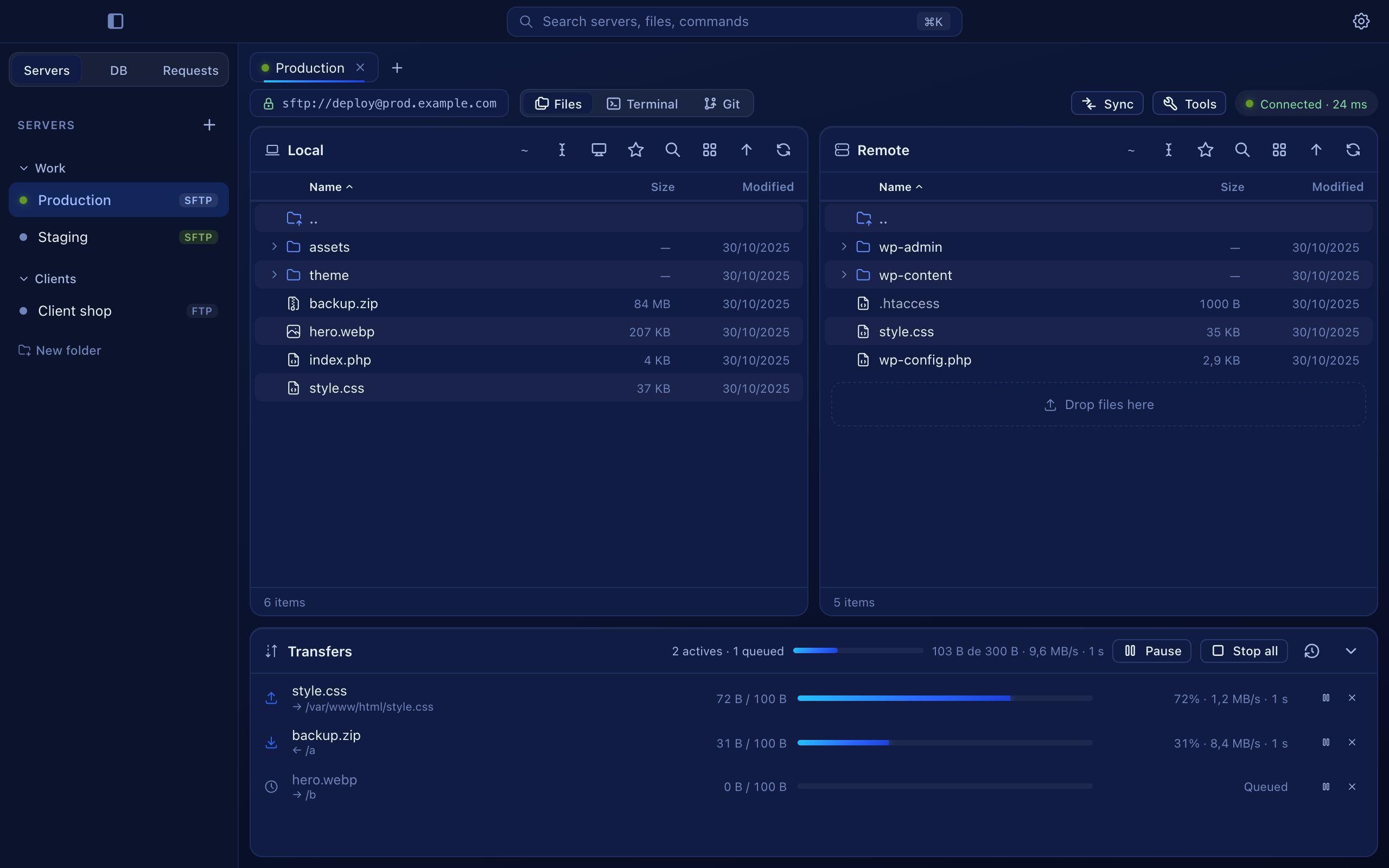
Drag files between your Mac and the server. Transfers run in parallel, and you can pause or resume them.

One app instead of five

Most web work means switching between a file client, a database tool, a terminal, Git and an API tester. Hopper keeps them together, so the server you're on is also the database you're editing.

Move files without thinking about it

Local and remote folders side by side. Drag, drop, and Hopper takes care of the rest: parallel transfers, conflicts, and resuming where it stopped.

  • Edit remote files and they upload when you save
  • A copy of every file you overwrite, kept for a day
  • Warns you when the destination folder looks wrong
  • Sync two folders and see the differences first
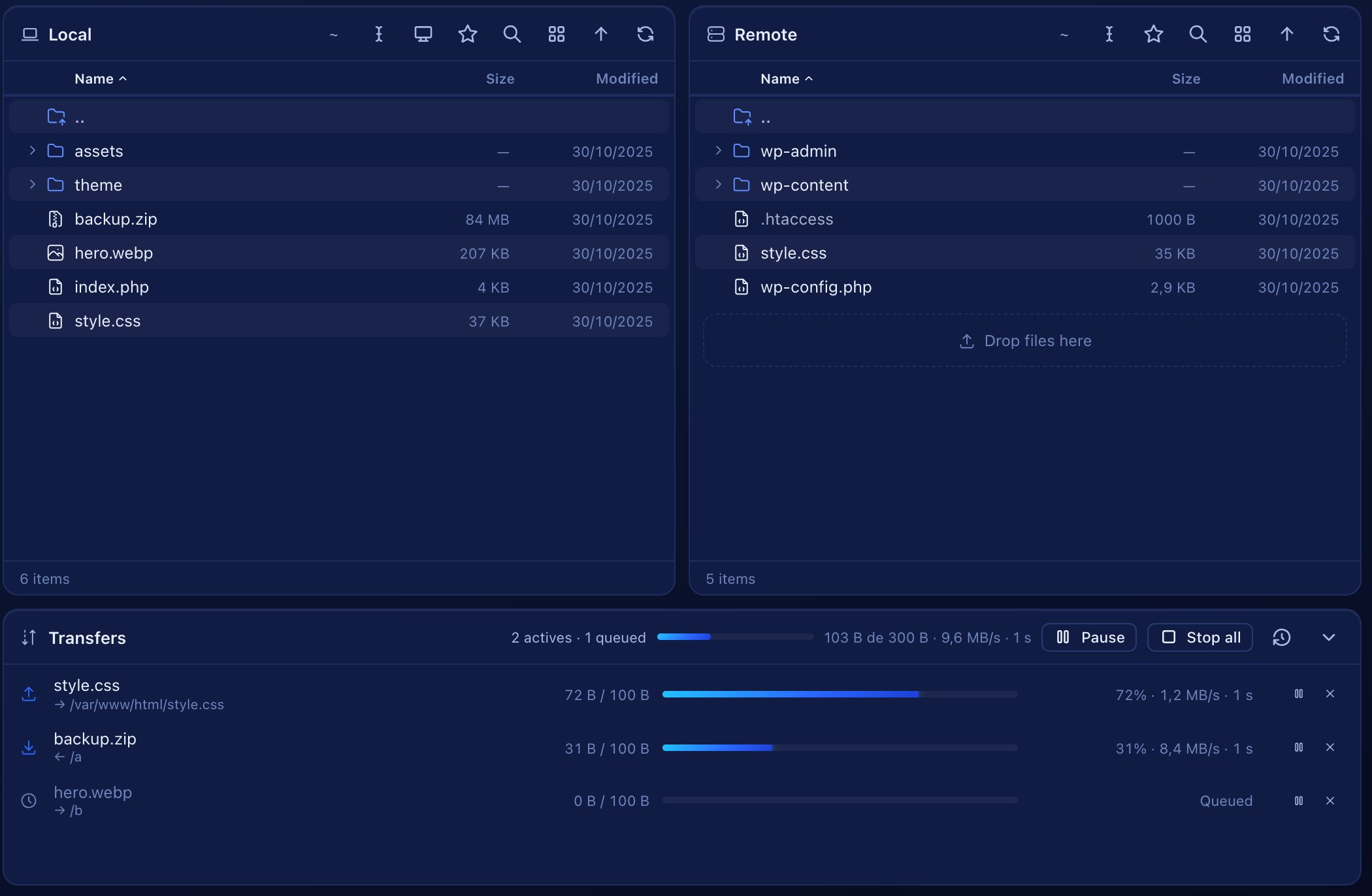
Detail of the file panes in Hopper

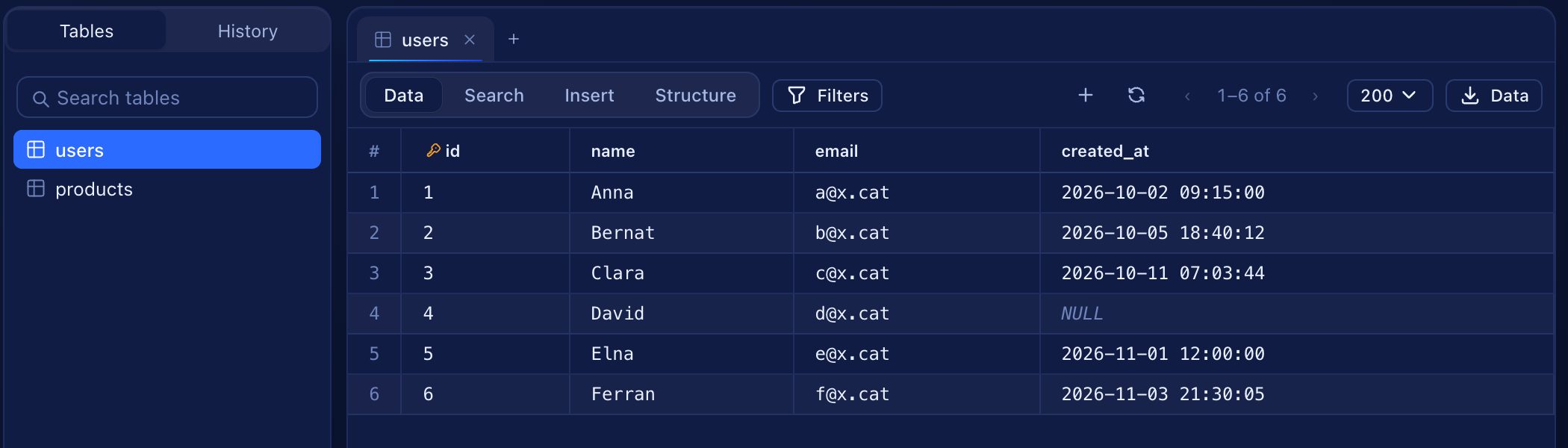
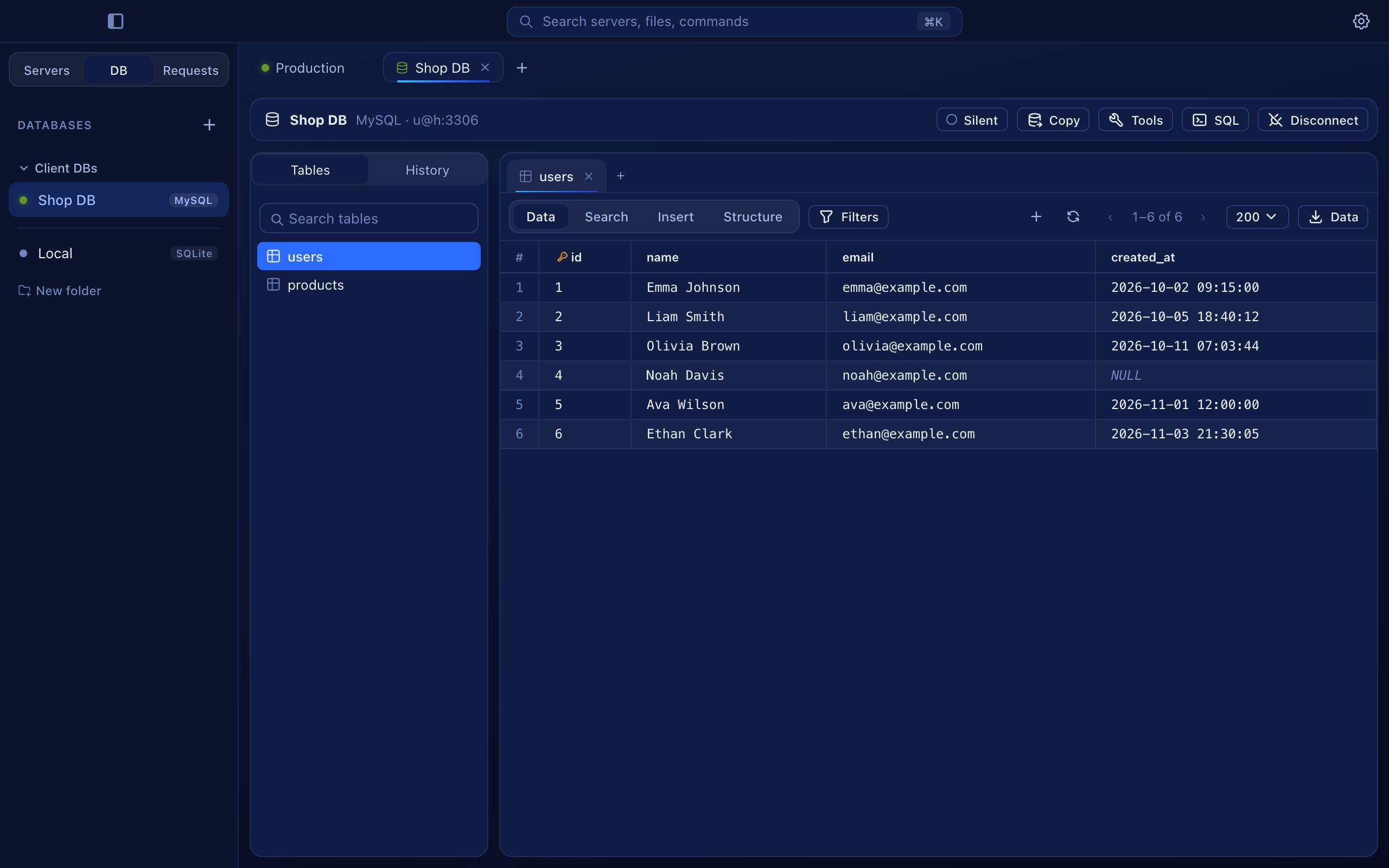
A database client that's fast with big tables

The first rows appear right away and the rest load in the background. Edit cells, filter, sort and export, with production databases protected by default.

  • Suggested values from related tables
  • Date and time picker for date columns
  • Undo, redo and a review before saving
  • SSH tunnels, schema diff and relationship diagram
Detail of a database table in Hopper

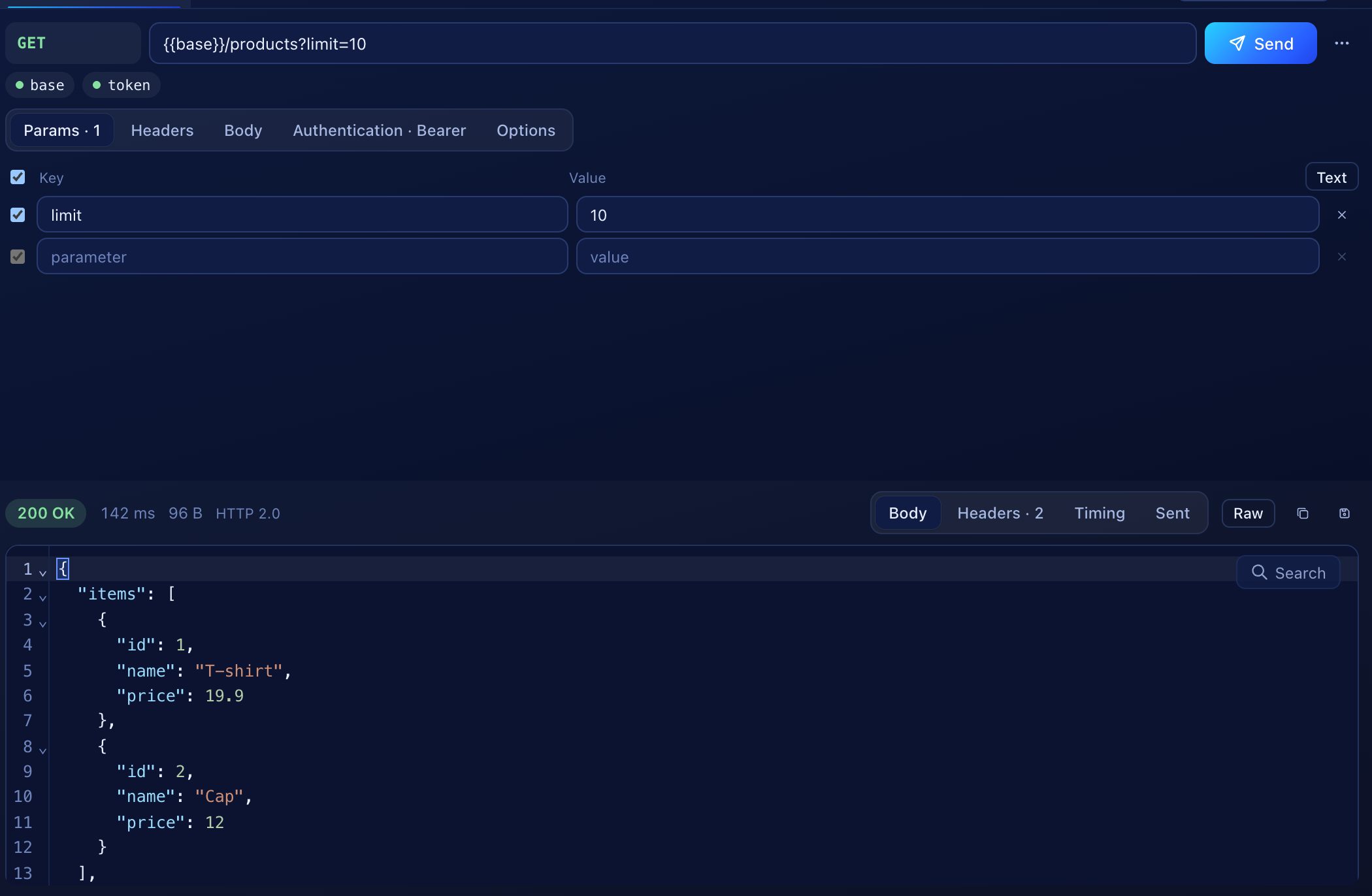
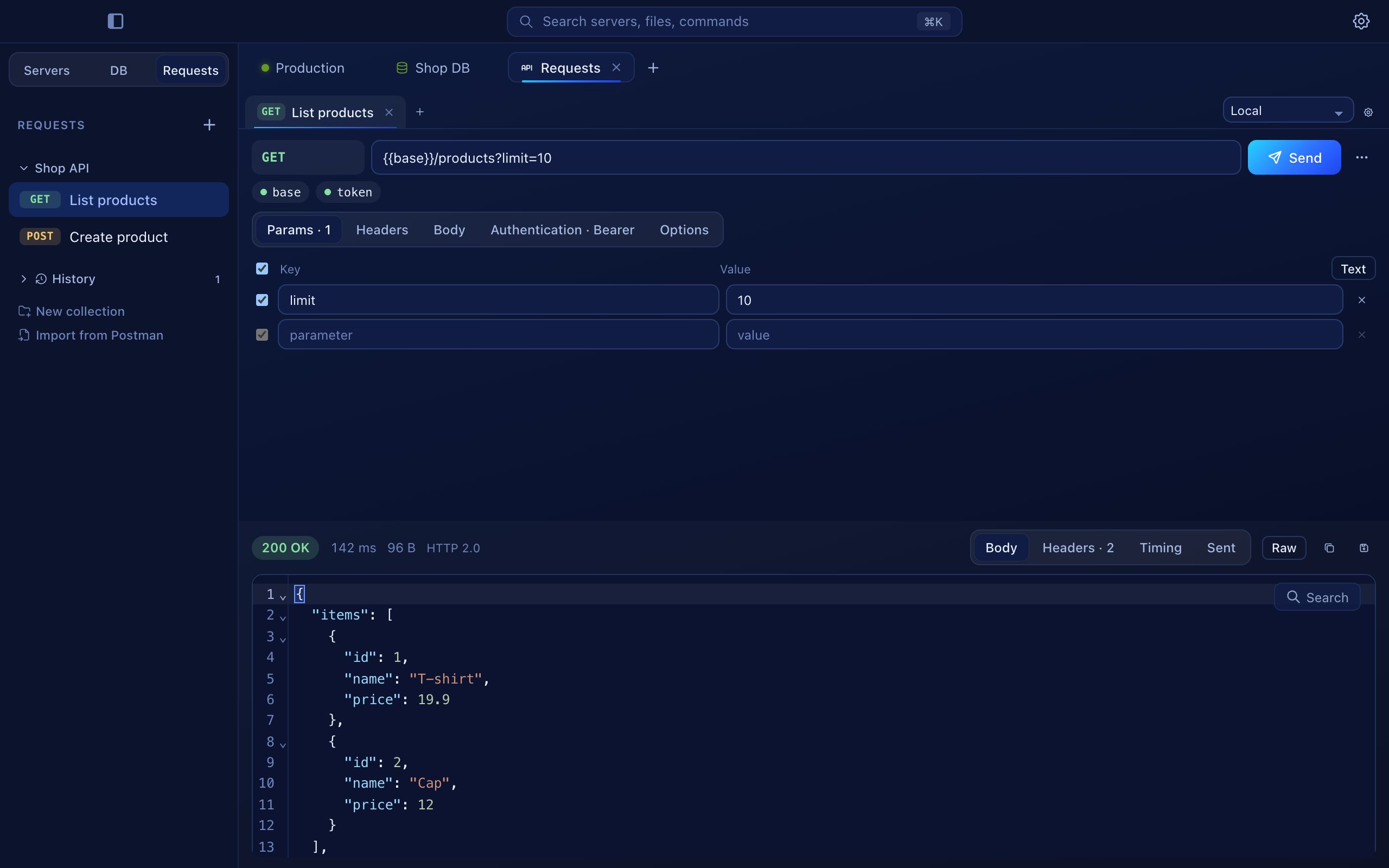
Test your API next to your server

Collections, environments and secret variables stored in the Keychain. Paste a cURL command and Hopper fills in the request for you.

  • JSON, XML, forms, file uploads and GraphQL
  • Bearer, Basic and API key authentication
  • Copy as cURL, fetch, Python or HTTPie
  • Timing, cookies and headers for every response
Detail of an HTTP request in Hopper

And the things you'd expect

SSH terminalSeveral sessions, split view and saved commands.
Git built inCommit, branches, history, and deploy changed files to the server.
Folder syncCompare local and remote folders and choose what goes where.
Keychain and Touch IDPasswords never touch a config file. Lock Hopper with your fingerprint.
Nine languagesEnglish, Català, Español, Euskara, Galego, Français, Italiano, Deutsch and Português.
Bring your connectionsImport from FileZilla, Cyberduck, WinSCP, VS Code, ~/.ssh/config or CSV.

Start free. Upgrade when it pays off.

The free version is a complete app, not a trial. Pro is a one-time purchase for people who work with many clients.

Free

For personal projects and small sites

€0

Free forever

  • File transfers, terminal and Git
  • Up to 5 servers and 2 databases
  • Up to 15 saved API requests
  • All languages and themes
Download free

Pro

For freelancers and agencies

€59€79Launch price

One-time payment for 2 Macs. Includes a year of updates; after that, €39 a year if you want new versions.

  • Unlimited servers, databases and requests
  • Folder sync and deploy from Git
  • Schema diff and relationship diagram
  • Server monitor, cron, SSL and WordPress tools
Available soon

Prices include VAT where applicable. Payments are handled by Lemon Squeezy, our reseller and merchant of record. If Hopper Pro isn't for you, ask for a refund within 14 days.

Questions

Is the free version really free?

Yes. It doesn't expire and it isn't a trial. It has limits on how many servers, databases and requests you can save, and a few professional tools are part of Pro.

What do I get with Pro?

No limits on saved connections, plus folder sync, deploy from Git, schema diff, the relationship diagram and the server tools. You pay once and keep the version you have forever.

How do I activate my license?

After buying you'll get a license key by email. In Hopper, open Settings, then License, paste the key and press Activate.

Can I use it on more than one Mac?

Yes, each license works on two Macs. You can deactivate it on one Mac to move it to another.

Where are my passwords stored?

In the macOS Keychain. Hopper never writes passwords to its configuration files, and you can protect sensitive actions with Touch ID.

Which databases does it support?

MySQL, MariaDB, PostgreSQL and SQLite, directly or through an SSH tunnel.

Spend less time switching apps

macOS 12 or later · Apple Silicon and Intel · The free version has no time limit